Browser Extension โ€” Chrome & Firefox

Download YouTube videos with one click

GreenGo Helper connects your browser to the GreenGo desktop app. Click any YouTube video and send it straight to GreenGo for instant download and processing.

Requires GreenGo desktop app ยท Works with any YouTube account

Seamless YouTube integration

GreenGo Helper makes downloading videos as easy as clicking a button. No copy-pasting URLs, no manual cookie management.

๐ŸŽฏ

One-Click Download

Click the "Download with GreenGo" button on any YouTube video. The extension sends it directly to your GreenGo app.

๐Ÿ”

Automatic Cookie Sync

Your YouTube session cookies are captured and saved locally. GreenGo uses them to authenticate downloads on your behalf.

๐Ÿ“‹

Download Queue

GreenGo offline? Videos are queued automatically and processed when the app comes back online.

โšก

Instant Detection

The extension detects when GreenGo is running and sends videos immediately. No waiting, no manual steps.

๐ŸŽจ

Native YouTube UI

Download buttons are injected directly into YouTube's interface, matching the native button style.

๐Ÿ”’

100% Local

All data stays on your computer. No remote servers, no tracking, no data collection whatsoever.

Three steps to instant downloads

Install once, download forever. GreenGo Helper handles all the technical details.

1

Install Extension

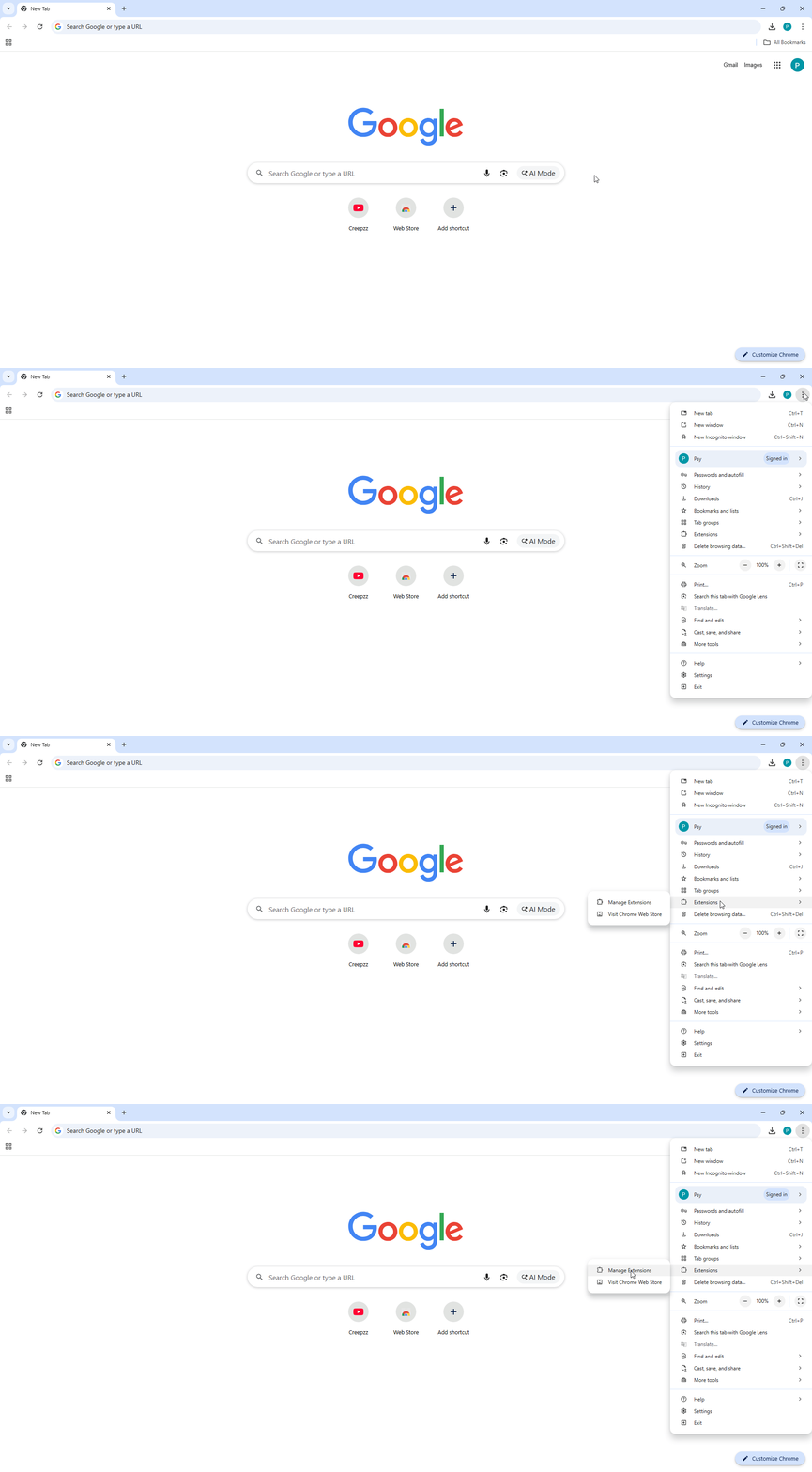
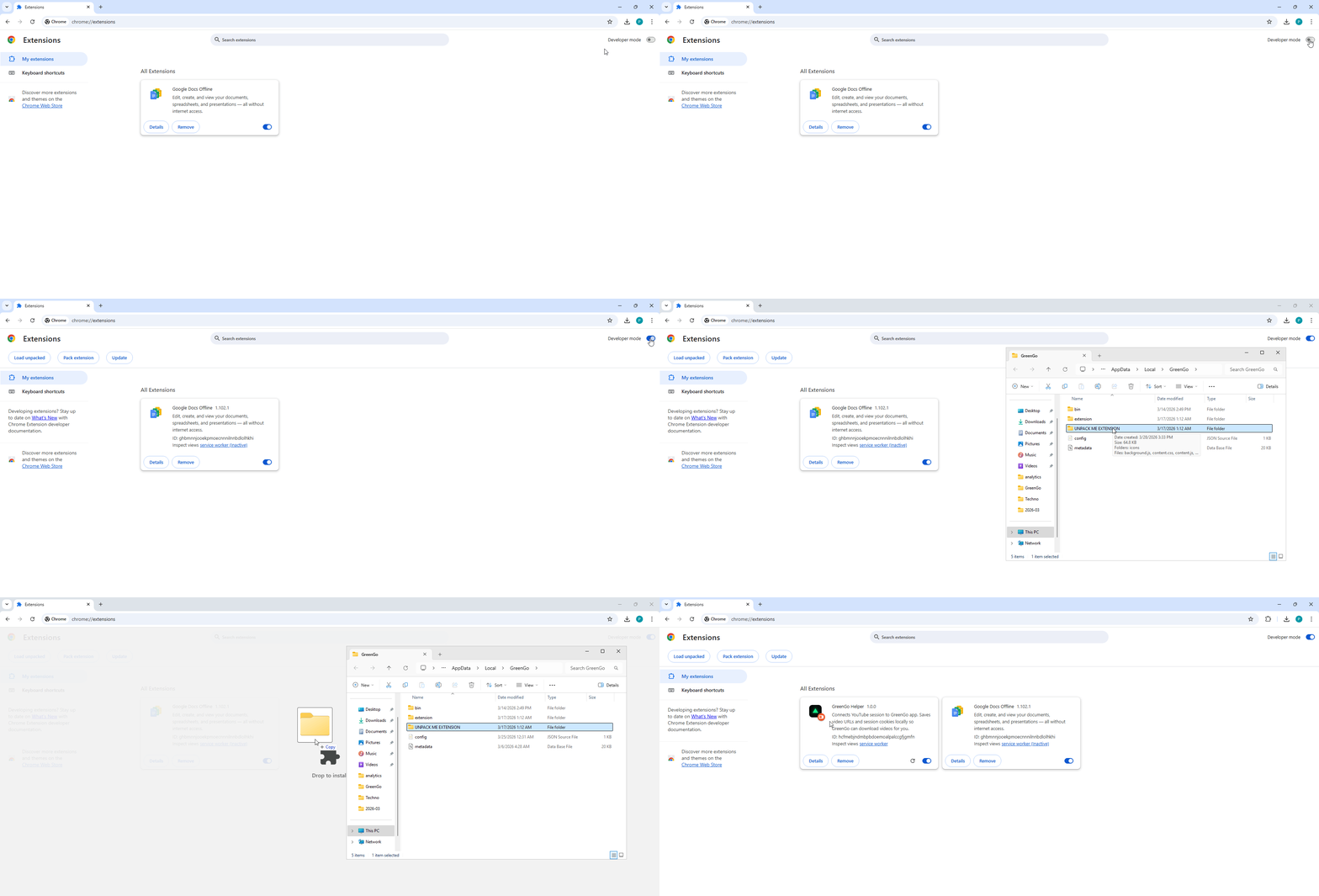
Add GreenGo Helper to Chrome or Firefox. Make sure the GreenGo desktop app is installed and running.

2

Browse YouTube

Visit any YouTube video. The extension automatically captures your session cookies in the background.

3

Click to Download

Hit the "Download with GreenGo" button. The video is sent to GreenGo and processed automatically.

Install GreenGo Helper

Available for Chrome and Firefox. Requires GreenGo desktop app (version 1.0 or later).

GreenGo Helper Extension

Free browser extension for GreenGo users

$ 0

Free forever ยท No subscription

โœ“ One-click YouTube downloads
โœ“ Automatic cookie synchronization
โœ“ Offline download queue
โœ“ Native YouTube UI integration
โœ“ 100% local โ€” no data collection
โœ“ Chrome & Firefox support
Download for Chrome Download for Firefox โ†’

Requires GreenGo desktop app

Your data stays yours

GreenGo Helper is designed with privacy first. Here's what permissions we need and why.

๐Ÿช

Cookies

Reads your YouTube session cookies to authenticate downloads. Cookies are saved locally on your computer only.

๐Ÿ“‘

Tabs

Detects when you're on YouTube to show the download button and capture video information.

๐Ÿ’พ

Storage

Saves your download queue inside the extension so queued videos persist between browser sessions.

โฐ

Alarms

Periodically checks if GreenGo is running to automatically process queued downloads.

Common questions

Do I need YouTube Premium?

No. GreenGo Helper works with any free YouTube account. Just make sure you're logged in to YouTube in your browser.

Does this work without the GreenGo desktop app?

No. GreenGo Helper is a companion extension that connects your browser to the GreenGo desktop app. You need both installed.

Is my data sent to any servers?

No. All data stays on your computer. The extension only communicates with the GreenGo app running locally on your machine (localhost:7291).

What happens if GreenGo isn't running?

Videos are automatically queued and will be processed when you start GreenGo. Nothing is lost.

Can I use this on multiple browsers?

Yes. Install the extension on Chrome, Firefox, or both. They all connect to the same GreenGo desktop app.

Ready to streamline your workflow?

Install GreenGo Helper and start downloading YouTube videos with one click.