ID3 tags are structured metadata fields stored inside audio files. DJ software like Rekordbox, Serato, and Traktor reads these fields - TBPM for tempo, TKEY for musical key, TIT2 for track title, APIC for artwork - to build, search, and display your library. Without correct ID3 tags, your DJ software is blind. All three major platforms read ID3 tags, but they handle them differently: Rekordbox stores performance data in its own database, Serato writes proprietary data into the files, and Traktor does both.
This guide covers every ID3 field that matters for DJs, which fields Rekordbox, Serato, and Traktor actually read, how the three platforms store performance data differently, and how to fix a library full of missing or incorrect tags before import.
What ID3 Tags Are and Why DJ Software Depends on Them
ID3 is a metadata container format for MP3 and AIFF files. It lets you store structured information inside the audio file itself - title, artist, album, BPM, musical key, genre, artwork, and dozens more - in standardized frames that any music software can read.
The standard originated in 1996. As Wikipedia's ID3 article documents: "In 1996 Eric Kemp proposed adding a 128-byte suffix to MP3 files... The v1 tag allows 30 bytes each for the title, artist, album, and a 'comment', 4 bytes for the year, and 1 byte to identify the genre." That was ID3v1 - tiny, rigid, and unable to hold the metadata DJs actually need.
ID3v2 replaced it with an extensible frame-based system. The current version, ID3v2.4, defines 83 frame types according to the Wikipedia specification. Each frame has a four-character ID: TIT2 for title, TPE1 for artist, TBPM for BPM, TKEY for key, APIC for attached picture, and so on.
Your DJ software doesn't listen to the track to figure out who the artist is. It reads the TPE1 frame. The BPM displayed in Rekordbox? That comes from TBPM. The key column? TKEY. The album art thumbnail? APIC. If those frames are empty or wrong, your software shows blanks or lies - and your workflow breaks.
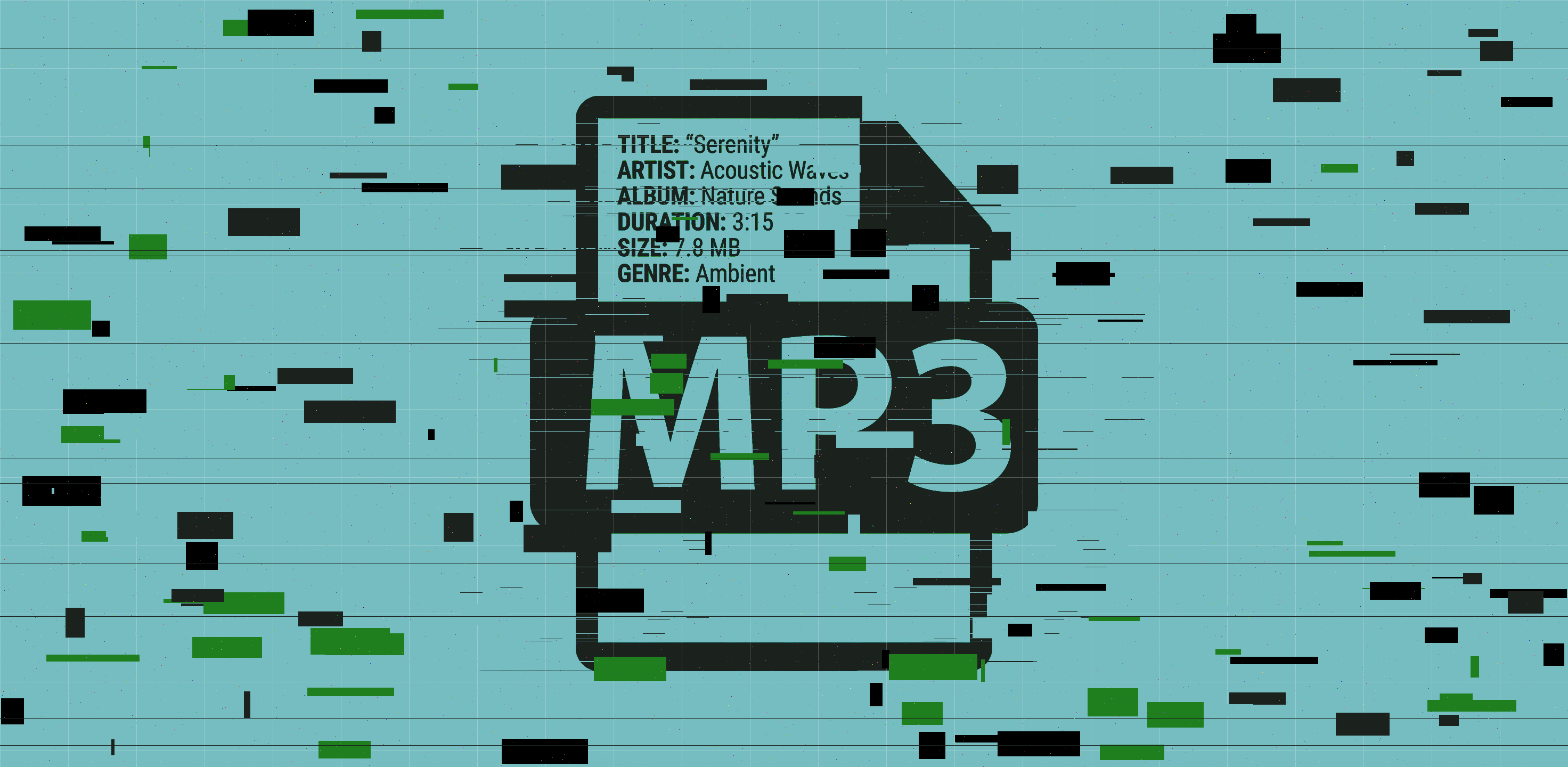
ID3v1 vs ID3v2 vs ID3v2.4: Which Version Matters for DJs
There are three ID3 versions you'll encounter. Understanding the difference matters because DJ software compatibility varies.
ID3v1 (1996)
The original format. 128 bytes appended to the end of the MP3 file. Fields limited to 30 characters each. No Unicode. No album art. No BPM or key fields. ID3v1 is a fossil - every modern DJ tool reads it as a fallback, but you should never rely on it.
ID3v2.3 (1999)
The most widely compatible version. Uses extensible frames at the start of the file. Supports embedded images (APIC), Unicode, and all the fields DJs need. Most hardware and software reads ID3v2.3 reliably.
The Mixgraph metadata editor explains why v2.3 remains the safe choice: "Tags here are written as ID3v2.3, which is a compatibility decision rather than a default. 2.4 is the later specification and the better one, but Windows Explorer, a long tail of car head units and several versions of Rekordbox read 2.3 and quietly ignore 2.4."
ID3v2.4 (2000)
The current standard. Published November 1, 2000. Defines 83 frame types. Supports multiple values per field, full Unicode, and has the cleanest specification. However, compatibility is not universal - some older software and hardware silently ignore v2.4 tags.
The Mp3tag community documented an important nuance in Rekordbox's behavior: "Rekordbox v6.8.4 seems to use ID3v2.3 too, if such a tag already exists in the track. If you add a brand new track into Rekordbox v6.8.4, the ID3 standard used (and written back into the track) is v2.4." This means Rekordbox preserves whatever version exists, and only writes v2.4 for new tags.
GreenGo writes ID3v2.4 by default. If you need maximum compatibility with older hardware or specific Rekordbox versions, you can also tag files with ID3v2.3 using tools like Mp3tag before import.
The 10 ID3 Fields Every DJ Needs Tagged
Out of 83 possible ID3v2.4 frames, 10 matter for DJ workflows. Here's each one:
1. Title (TIT2)
The track name. Appears in the title column of every DJ application. If empty, you get the filename instead - and yt1s.com_-_fire_edit_320kbps.mp3 on your deck during a live set is not a good look.
2. Artist (TPE1)
The performer or creator. This is how you search for tracks, how smart playlists filter, and how your audience sees what you're playing. Unknown Artist doesn't build credibility.
3. BPM (TBPM)
The tempo in beats per minute. The most important field for beatmatching. The Mixgraph editor documents a critical formatting rule: "It must be a bare number. '128 BPM' is not one, and different programs disagree about what to do with it." Write 128, not 128 BPM.
4. Key (TKEY)
The musical key. Essential for harmonic mixing. Mixgraph notes: "The spec says three characters of note name. Camelot works everywhere but costs you Rekordbox's own key matching." Standard notation like Fm works with Rekordbox's built-in key matching system. Camelot notation like 4A works everywhere but bypasses Rekordbox's harmonic matching features.
5. Album (TALB)
The album name. Useful for organizing compilations, label packs, and EPs. Less critical than BPM or key, but helps with library navigation.
6. Genre (TCON)
The genre. Lets you filter your library by style - essential for open-format DJs who jump between house, hip-hop, Latin, and pop in one set.
7. Year (TDRC)
The release year. Useful for decade-themed playlists, throwback sets, and knowing whether a remix is current or dated.
8. Album Art (APIC)
The embedded cover image. Makes your library visually navigable - a recognizable thumbnail is 10x faster than reading text at 1 AM. Mixgraph warns: "Above about 4 MB some hardware stalls loading the track. A 3000-pixel scan is wasted on a CDJ display." Keep artwork under 1 MB and 1000px for best results.
9. Comment (COMM)
Free-text field for personal notes. Mixgraph reveals a hidden use: "Serato and Mixed In Key sometimes hide the key in here when the key field is empty - so an 'untagged' file often is not." Some tools write key data into COMM as a fallback, which can cause conflicts if you don't know to look for it.
10. Track Number (TRCK)
The position of the track on its album or EP. Useful for keeping compilations in order and for sorting label packs sequentially.
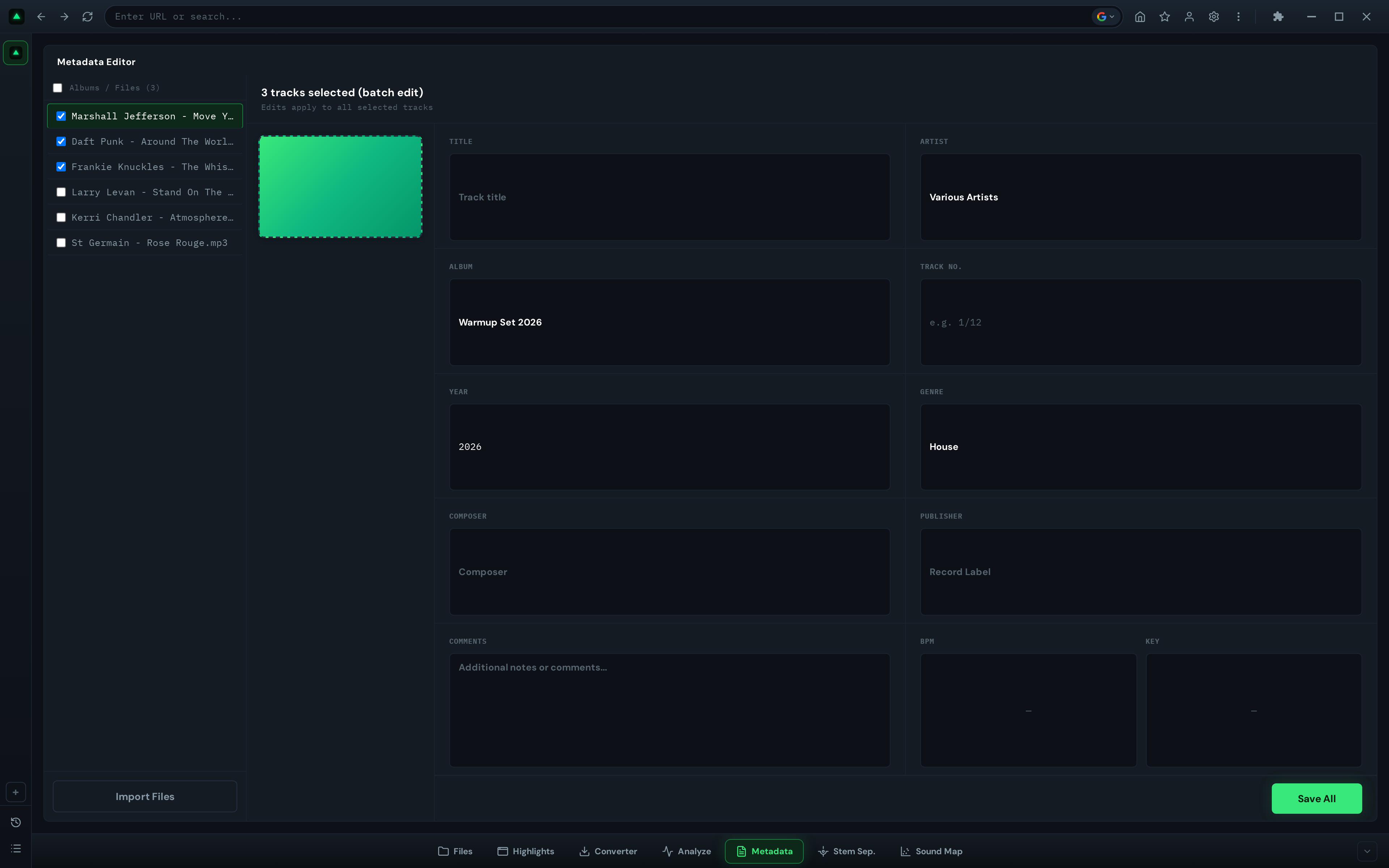
Which ID3 Fields Rekordbox Reads
Rekordbox reads ID3v2 tags from MP3 and AIFF files. The Rekordbox 7 manual states: "Displayable tag information of music files are ID3 tag (v1, v1.1, v2.2.0, v2.3.0, and v2.4.0) of MP3 and AIFF files, the meta tag of M4A files, RIFF INFO of WAVE files, and Vorbis Comment of FLAC files."
The Pioneer DJ forum documentation (cited via the Mp3tag community) lists the fields Rekordbox reads and writes back for MP3/AIFF files:
"Some users have asked which metadata fields on their audio files are updated by rekordbox and which are not. The answer depends on what filetype you are using, so here's the list:"
| Field | ID3 Frame | Read? | Written back? |
|---|---|---|---|
| Title | TIT2 | Yes | Yes |
| Artist | TPE1 | Yes | Yes |
| Album | TALB | Yes | Yes |
| Genre | TCON | Yes | Yes |
| Comment | COMM | Yes | Yes |
| Track Number | TRCK | Yes | Yes |
| Disc Number | TPOS | Yes | Yes |
| Album Artist | TPE2 | Yes | Yes |
| Composer | TCOM | Yes | Yes |
| Lyricist | TEXT | Yes | Yes |
| Year | TDRC | Yes | Yes |
| Mix Name | TIT3 | Yes | Yes |
| Remixer | TPE4 | Yes | Yes |
| Label | TPUB | Yes | Yes |
| Original Artist | TOPE | Yes | Yes |
| Key | TKEY | Yes | Yes |
| Artwork | APIC | Yes | Yes |
| BPM | TBPM | Yes | No |
The most important detail in that table: Rekordbox does NOT write BPM back to the file. The Mp3tag community testing confirmed this: "Also BPM will not be saved into your track." Rekordbox computes BPM during its own analysis and stores it in its internal database - not in the TBPM tag.
Digital DJ Tips explains the broader pattern: "Rekordbox by AlphaTheta stores nearly all of your DJ prep information in its internal library database and folders... None of that gets written to the music file itself by default." Cues, beatgrids, waveforms, and BPM all live in the database. Only the metadata fields listed above get written back to the file.
This means if you want BPM values that travel with the file across software, you must tag them before importing into Rekordbox. For more on this workflow, see our batch tagging guide for Rekordbox.
Which ID3 Fields Serato Reads
Serato DJ Pro reads standard ID3v2 fields - TIT2, TPE1, TALB, TBPM, TKEY, TCON, APIC - just like Rekordbox. But Serato takes a fundamentally different approach to storing performance data.
The Serato tags GitHub documentation reveals how Serato stores its data: "Data is stored inside ID3v2.4 General encapsulated object (GEOB) frames: Serato Overview, Serato Analysis, Serato Autotags, Serato Markers_, Serato Markers2, Serato BeatGrid, Serato Offsets_."
These GEOB frames are proprietary - only Serato reads them. But they're stored directly inside the audio file, not in a separate database. Digital DJ Tips describes the approach: "Serato DJ Pro takes the opposite approach. It writes all of your performance metadata directly into the music files, even into WAV files (which officially don't allow this), by using its own proprietary method."
The practical difference: if you move a Serato-tagged file to another computer, the cues and beatgrids travel with it. With Rekordbox, you'd need to export the database or use sync features. The downside of Serato's approach is that the files grow larger and the proprietary frames can confuse other software.
Which ID3 Fields Traktor Reads
Traktor Pro reads the same standard ID3v2 fields as Rekordbox and Serato. But like Serato, it also writes performance data into the files - and it maintains a separate database.
Digital DJ Tips explains: "Traktor Pro from Native Instruments does both. It stores all your DJ performance data in its internal collection database (collection.nml) and also writes most of it to the music files themselves. This includes BPM, beatgrids, cue points, saved loops, key analysis and autogain."
The same source adds: "Traktor even embeds waveform preview data (the stripe) and cover art into the files where possible."
This hybrid approach gives Traktor users the best of both worlds: files are portable because performance data is embedded, but the collection.nml database provides fast local access. The trade-off is larger file sizes and potential conflicts if the same file is used across multiple DJ platforms.
Comparison: ID3 Field Support Across DJ Software
The table below shows how the major DJ platforms handle each ID3 field. Field mapping data is sourced from the Lexicon DJ field mappings documentation, which maintains compatibility tables for cross-software library sync.
| Field | ID3 Frame | Rekordbox 6/7 | Serato 4 | Traktor 3 | Engine DJ | VirtualDJ |
|---|---|---|---|---|---|---|
| Title | TIT2 | ✓ | ✓ | ✓ | ✓ | ✓ |
| Artist | TPE1 | ✓ | ✓ | ✓ | ✓ | ✓ |
| Album | TALB | ✓ | ✓ | ✓ | ✓ | ✓ |
| Year | TDRC | ✓ | ✓ | ✓ | ✓ | ✓ |
| Track Number | TRCK | ✓ | ✓ | ✓ | ✓ | ✓ |
| Genre | TCON | ✓ | ✓ | ✓ | ✓ | ✓ |
| BPM | TBPM | Read only | ✓ | ✓ | ✓ | ✓ |
| Key | TKEY | ✓ | ✓ | ✓ | ✓ | ✓ |
| Comment | COMM | ✓ | ✓ | ✓ | ✓ | ✓ |
| Composer | TCOM | ✓ | ✓ | ✓ | ✓ | ✓ |
| Label | TPUB | ✓ | - | ✓ | - | - |
| Rating | POPM | Database | Database | Database | Database | Database |
| Color | Proprietary | Database | File (GEOB) | Database | Database | Database |
| Play Count | Proprietary | Database | File (GEOB) | Database | Database | Database |
| Cue Points | Proprietary | Database | File (GEOB) | Both | Database | Database |
| Beatgrid | Proprietary | Database | File (GEOB) | Both | Database | Database |
Source: Lexicon DJ field mappings and Digital DJ Tips. "Database" = stored in software's internal library. "File (GEOB)" = stored in proprietary frames inside the file. "Both" = stored in both locations. "Read only" = field is read from file but not written back.
The key takeaway: standard ID3 fields (TIT2, TPE1, TBPM, TKEY, APIC, etc.) are portable across all platforms. Performance data (cues, beatgrids, colors, play counts) is not - each platform stores it differently.
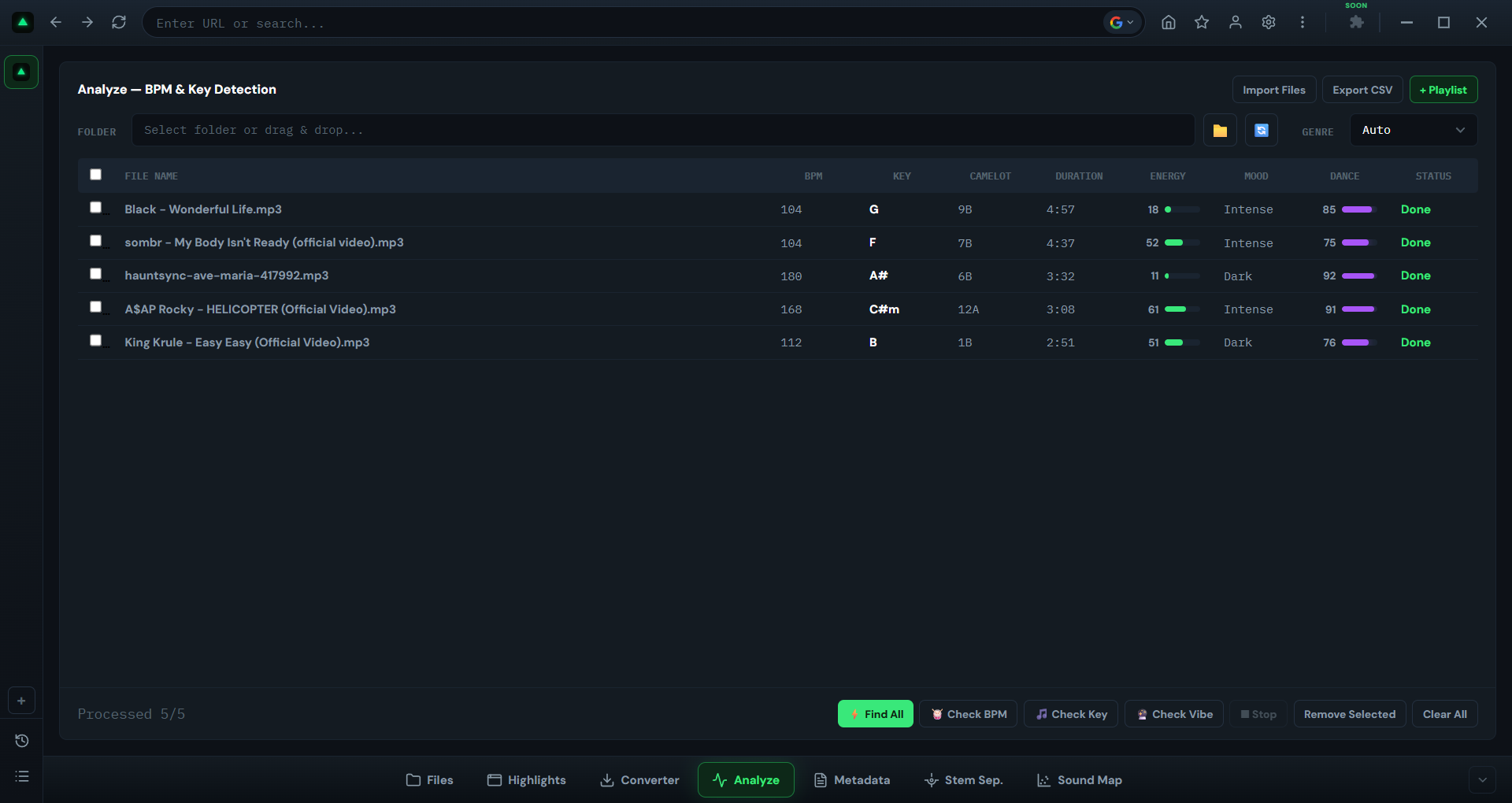
What Happens When Your ID3 Tags Are Wrong or Missing
Bad metadata isn't a cosmetic problem. It breaks your workflow in specific, measurable ways:
Your search is useless
You know the track. You know the artist. You type the name into Rekordbox's search bar. Nothing comes up. The file is called SC_download_2026_03.mp3 with no TIT2 or TPE1 tags. The track exists in your library - your search just can't find it. Multiply this by 200 untagged files and your search becomes a coin flip.
Your BPM data lies to you
Wrong TBPM values are worse than missing ones. If the tag says 128 but the track is actually 126, your beatmatch will drift. You'll spend 30 seconds micro-adjusting in the headphones, wondering why it feels off. Five tracks with wrong BPMs means five transitions where you're fighting your own data.
Harmonic mixing becomes guesswork
You're mixing in key. Track A is labeled Am in TKEY. You find a track labeled Cm - a perfect minor third jump. Except Track A is actually in Bb minor. The key tag was wrong. Your "harmonic" transition sounds like a car crash. If you can't trust your TKEY data, you can't mix harmonically. Learn more in our harmonic mixing guide.
Your smart playlists break
A smart playlist that says "show me all House tracks above 124 BPM" needs accurate TCON and TBPM tags. If half your house tracks are tagged Unknown with BPM 0, they won't appear. Your smart playlists are only as smart as your metadata.
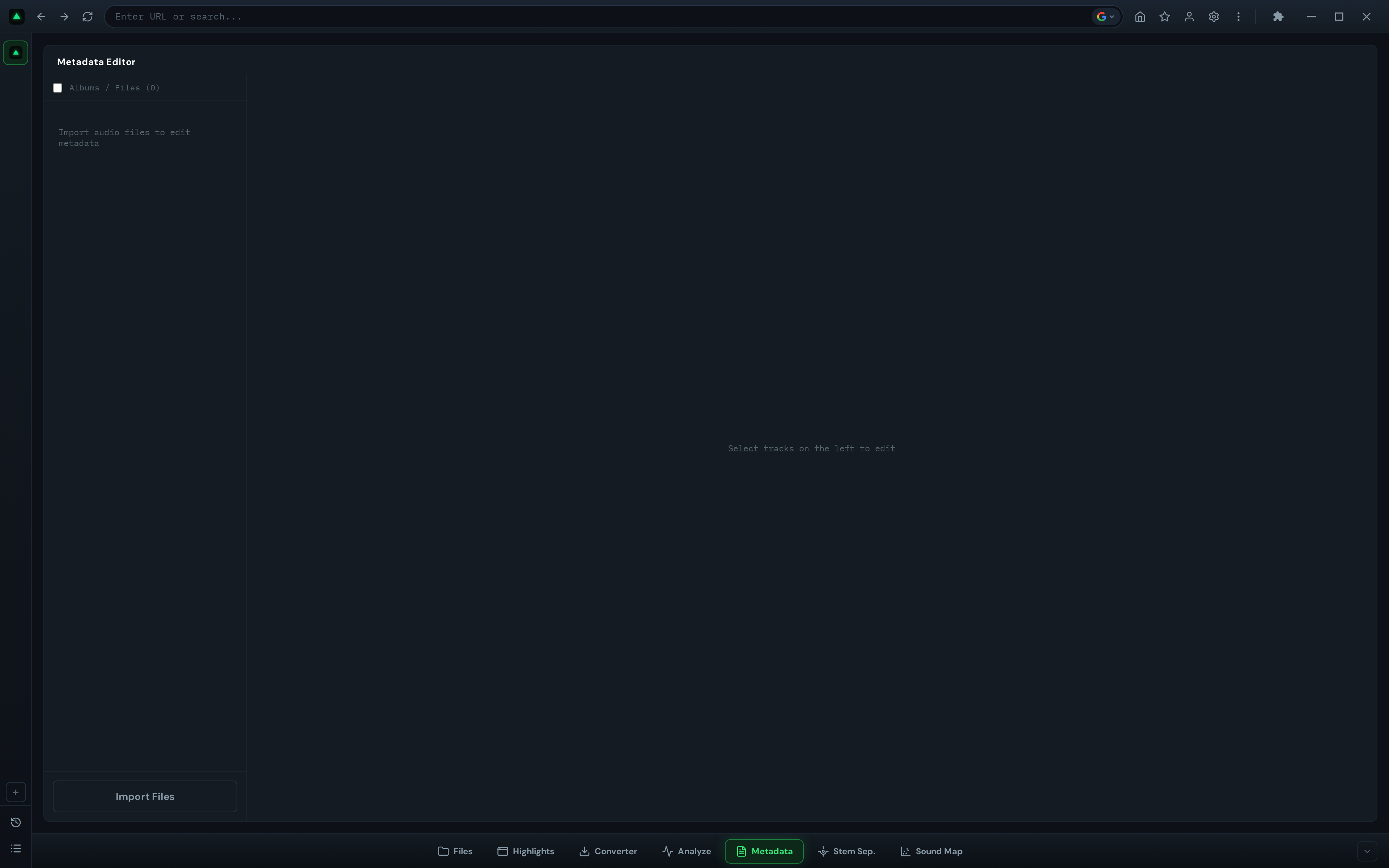
How to Fix Missing ID3 Tags in Your DJ Library
Fixing a broken library comes down to three steps:
Step 1: Run batch analysis
Use a batch tagging tool like GreenGo's track analysis to analyze your entire folder. The tool detects BPM from the waveform, detects musical key from harmonic content, and pulls artist/title from available metadata. You don't type anything - the analysis does the work.
Step 2: Write tags to files
Once analysis is complete, write the results into ID3 tags. GreenGo writes TBPM (bare number), TKEY (standard notation), TIT2, TPE1, TALB, TCON, TDRC, and APIC - all in one pass. For a detailed walkthrough, see our GreenGo metadata editing guide.
Step 3: Reload tags in DJ software
After tagging, your DJ software needs to re-read the files. The Lexicon DJ documentation explains for Rekordbox specifically: "To display album art in Rekordbox, you need to reload tags, that will also reload the album art. Right click your tracks in Rekordbox ➡ Reload Tags."
In Serato, use "Relocate Lost Files" or re-import the folder. In Traktor, right-click and select "Import from iTunes" or re-analyze. The key point: your DJ software caches metadata - it won't see the new tags until you force a reload.
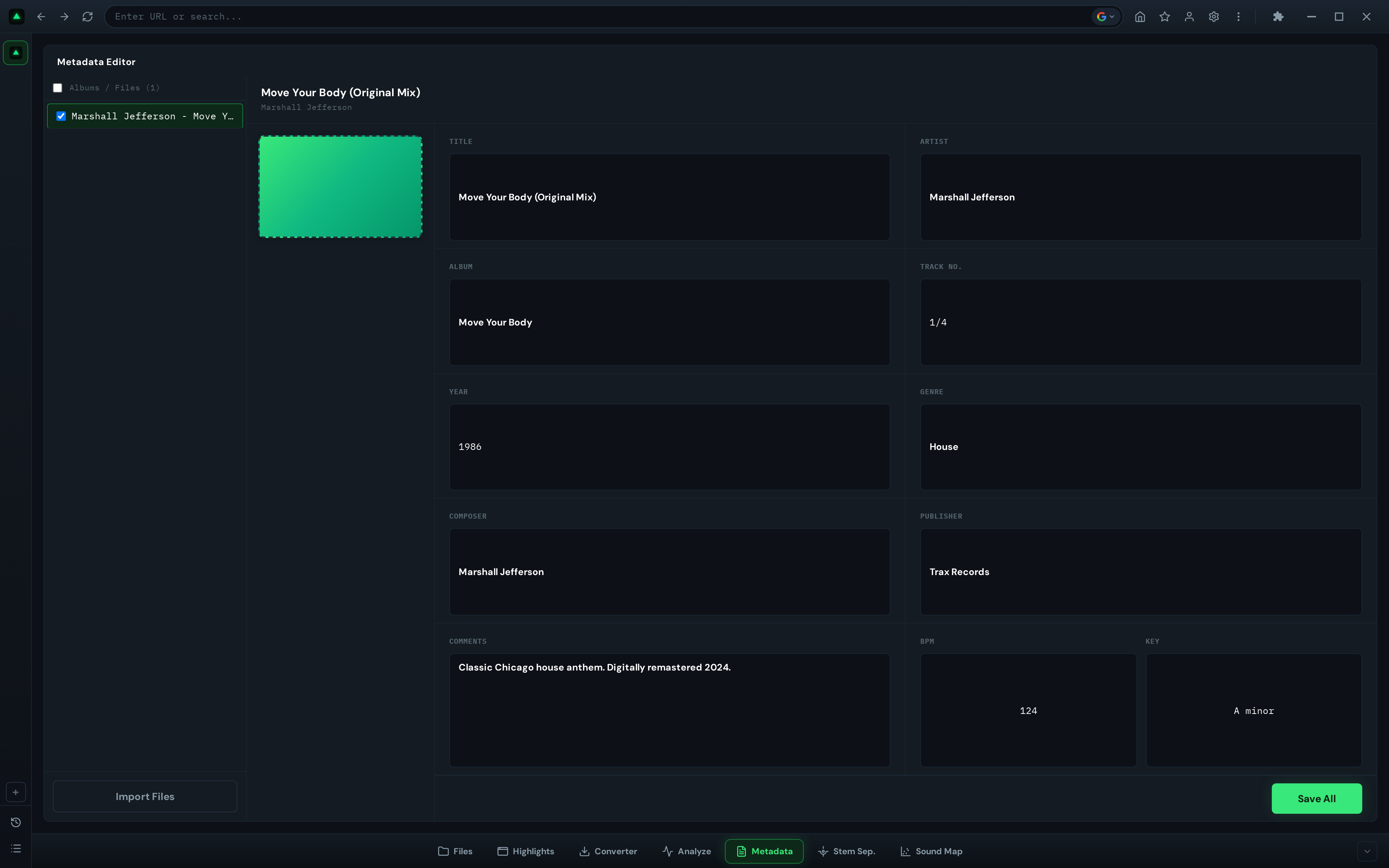
How GreenGo Auto-Fills Every ID3 Field
GreenGo is a local desktop app for Windows and macOS that analyzes audio files and writes ID3 tags automatically. No internet required. No manual data entry.
Here's what GreenGo writes into each file:
TBPM- BPM as a bare number (e.g.,128, not128 BPM), detected from waveform analysis with integer snapping in the 70–200 BPM range.TKEY- Musical key in standard notation (e.g.,Fm), detected using a 4-signal key detection fusion engine. Camelot and Open Key notation are also written for cross-software compatibility.TIT2- Track title, extracted from source metadata or filename parsing.TPE1- Artist name, extracted from source metadata.TALB- Album name where available.TCON- Genre, detected from audio analysis.TDRC- Release year where available.APIC- Album artwork, embedded and optimized for DJ software displays.
GreenGo writes ID3v2.4 by default. The ML models are trained on 14,859 tracks, and analysis takes approximately 15 seconds per track. Batch processing runs in parallel - a 200-track folder completes in under an hour.
For DJs who need ID3v2.3 for specific hardware compatibility, GreenGo-tagged files can be re-saved as v2.3 using Mp3tag in a single batch operation. See our batch tagging guide for the full workflow.
GreenGo offers a 7-day free trial with full features - no credit card required. You get 3 stem separations during the trial, and a subscription is required for unlimited processing. See pricing for details.
Frequently Asked Questions
What is an ID3 tag?
ID3 tags are structured metadata fields stored inside an audio file that carry information such as title, artist, album, BPM, musical key, genre, and artwork. DJ software like Rekordbox, Serato, and Traktor reads these fields to build and search your library without scanning filenames. The standard has existed since 1996, with ID3v2.4 being the current version supporting 83 frame types.. See our complete ID3 tag field reference for all fields.
What is the difference between ID3v1 and ID3v2?
ID3v1 (1996) stores 128 bytes at the end of the MP3 file, limited to 30 characters per field, no Unicode, no album art. ID3v2 (1998) uses extensible frames at the start of the file, supports unlimited field lengths, Unicode, embedded images, and the BPM/key fields DJ software relies on. ID3v2.4 (published November 1, 2000) defines 83 frame types. Every modern DJ tool reads ID3v2; ID3v1 is only a fallback.
Which ID3 fields does Rekordbox read?
Rekordbox reads ID3v2 tags from MP3 and AIFF files (versions v2.2.0 through v2.4.0), including TIT2 (title), TPE1 (artist), TALB (album), TCON (genre), COMM (comment), TRCK (track number), TPE2 (album artist), TCOM (composer), TDRC (year), TIT3 (mix name), TPE4 (remixer), TPUB (label), TOPE (original artist), TKEY (key), and APIC (artwork). Notably, Rekordbox does NOT write computed BPM back to the TBPM field.
Does Rekordbox write BPM back to ID3 tags?
No. According to testing documented in the Mp3tag community, Rekordbox v6.8.4 does not save BPM back into the MP3 file's TBPM tag. Rekordbox stores BPM in its internal database, not in the file. This means if you want BPM values that travel with the file across software, you must tag them before importing.
How do I fix missing ID3 tags in my DJ library?
Use a batch tagging tool like GreenGo that analyzes each track's audio, detects BPM and key, and writes the results into ID3 tags (TBPM, TKEY, TIT2, TPE1, etc.) before importing into your DJ software. After tagging, reload tags in Rekordbox (right-click tracks, Reload Tags) to pull the new metadata from the files.
Do Serato and Traktor read the same ID3 tags as Rekordbox?
All three read the core fields (TIT2, TPE1, TALB, TBPM, TKEY, TCON, APIC), but they store performance data differently. Rekordbox keeps cues, beatgrids, and waveforms in its internal database. Serato writes performance data directly into the files using proprietary GEOB frames. Traktor does both - storing in its collection.nml database and writing to files. Standard ID3 tags like BPM and key are portable across all three.
Stop Losing Tracks to Bad Metadata
Your DJ software is only as good as the data it reads. Empty TBPM fields mean no beatmatching. Wrong TKEY values mean broken harmonic mixes. Missing TIT2 and TPE1 mean useless search. Every untagged file in your library is a track you'll never find when you need it.
The fix is simple: tag your files before import. Download GreenGo, batch-analyze your library, and every ID3 field gets filled automatically - BPM, key, title, artist, genre, artwork. One pass. No manual typing.
Try GreenGo free for 7 days - full features, no credit card required. Tag your first 50 tracks and see what a fully metadata-driven library feels like in Rekordbox, Serato, or Traktor.
Related guides:
- Batch Tag MP3 BPM & Key for Rekordbox: 2026 Guide
- How to Edit Metadata in GreenGo: ID3 Tag Guide
- What Does Key Lock Mean for DJs? Harmonic Mixing Explained
- BPM Chart: Tempo Ranges for Every Music Genre
- Complete Guide to Preparing Tracks for a DJ Set
- GreenGo vs Mixed In Key: DJ Library Prep 2026
- How to Analyze Tracks in GreenGo: BPM, Key & Energy Guide
- 5 Time-Saving DJ Workflows Every Beginner Should Know